From a folder of photos to a number you can defend.
Groundsight does the photogrammetry, draws the site, and gives you the tools to measure it. Here is the whole path, in the order you will walk it.
Two ways in.
Hand over the photos and we run the photogrammetry, or bring the orthomosaic and terrain models your own software already made. Both open in the same viewer.
Photos from the drone
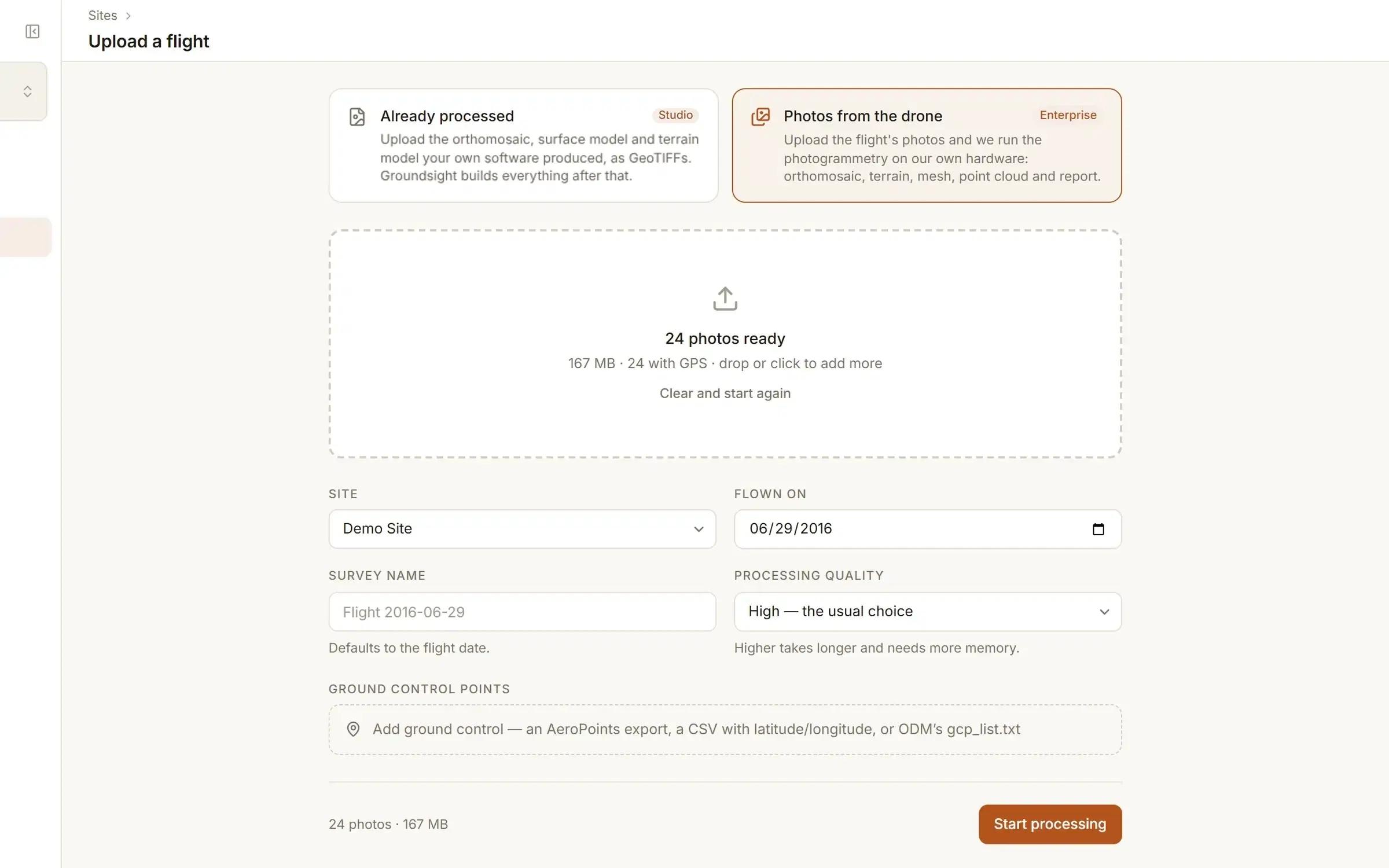
EnterpriseDrop the flight's folder in, GPS tags and all. Groundsight reads each photo's position and capture time, tells you how many carry a fix, and starts the job. Ground control is a file away, as a CSV of surveyed points or in ODM's format, and a drone that logged its satellite data is corrected by PPK against a base station or a public reference station.
Already processed
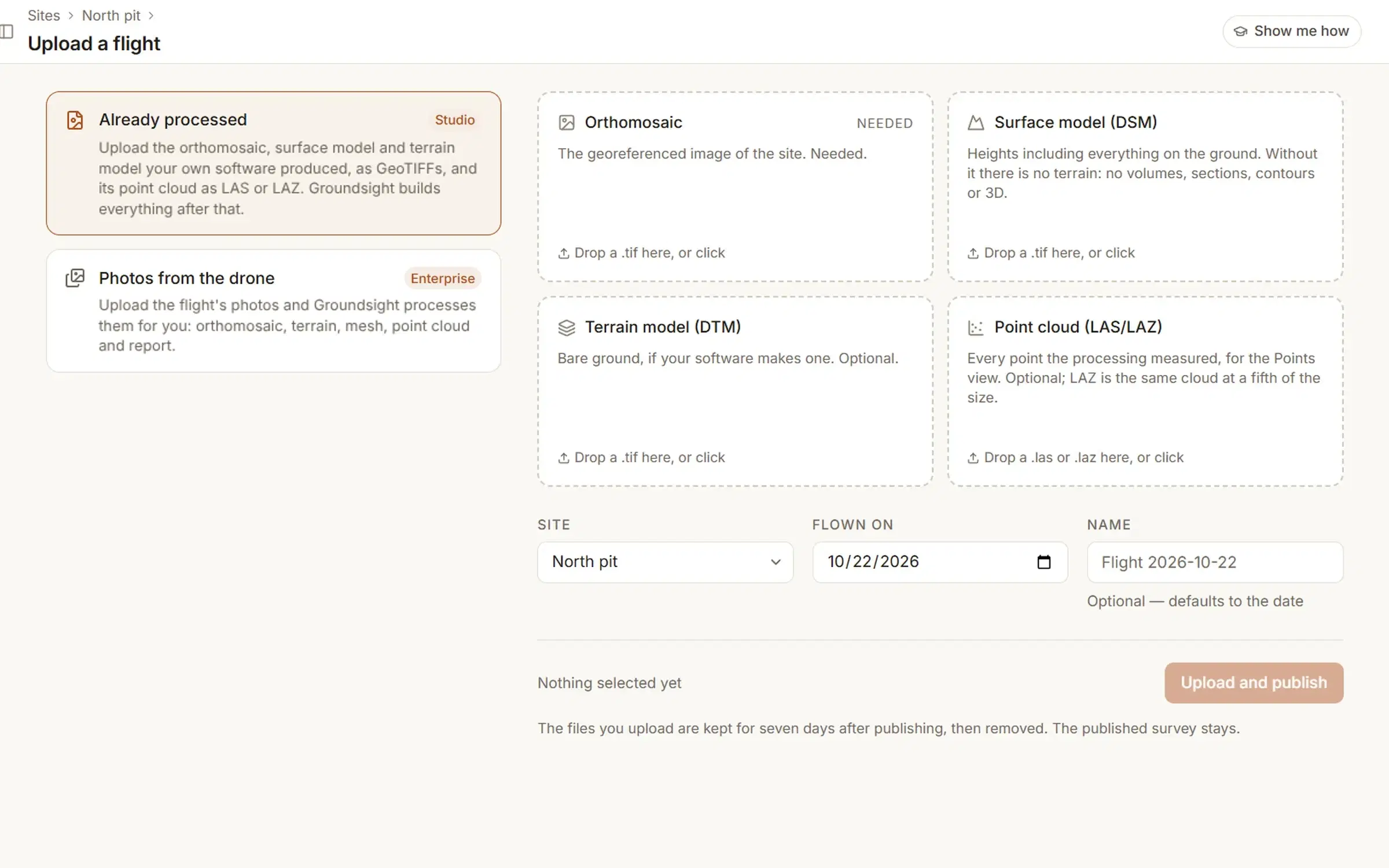
StudioThe orthomosaic, surface model and terrain model as GeoTIFFs, and the point cloud as LAS or LAZ if your software exports one. Groundsight checks each one before it leaves your machine, then builds the tiles, the terrain, every derived layer and the browser's point cloud from them. Compress the orthomosaic, ticked by default, and it processes, opens and downloads faster; untick it to keep the file exactly as exported.
Which way in you have depends on the plan: Studio takes the GeoTIFFs, Enterprise takes the photos. What each plan includes. If the processing is already done, Groundsight is an online home for the orthomosaic you have.
It processes itself.
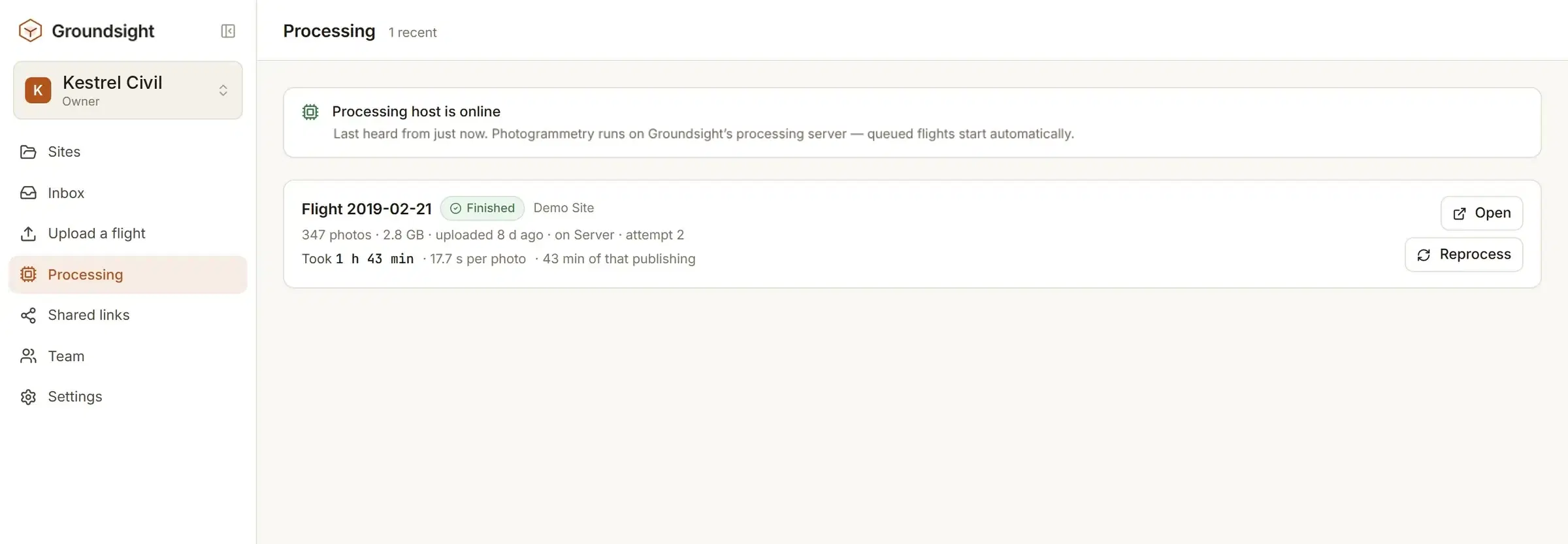
Photogrammetry runs on Groundsight's processing server and publishes the orthomosaic, the surface model, the terrain model, a point cloud and a textured mesh. Nothing needs watching. What the upload accepts, and what comes back.
- Live progress on the Processing page, stage by stage, with the time per photo.
- An email when the flight lands, with a link straight to it.
- Your originals stay in your own storage for seven days. The processing copy is deleted the moment processing ends.
- Within those seven days, a flight you want to redo can be reprocessed from the originals without uploading again.
Open it and start measuring.
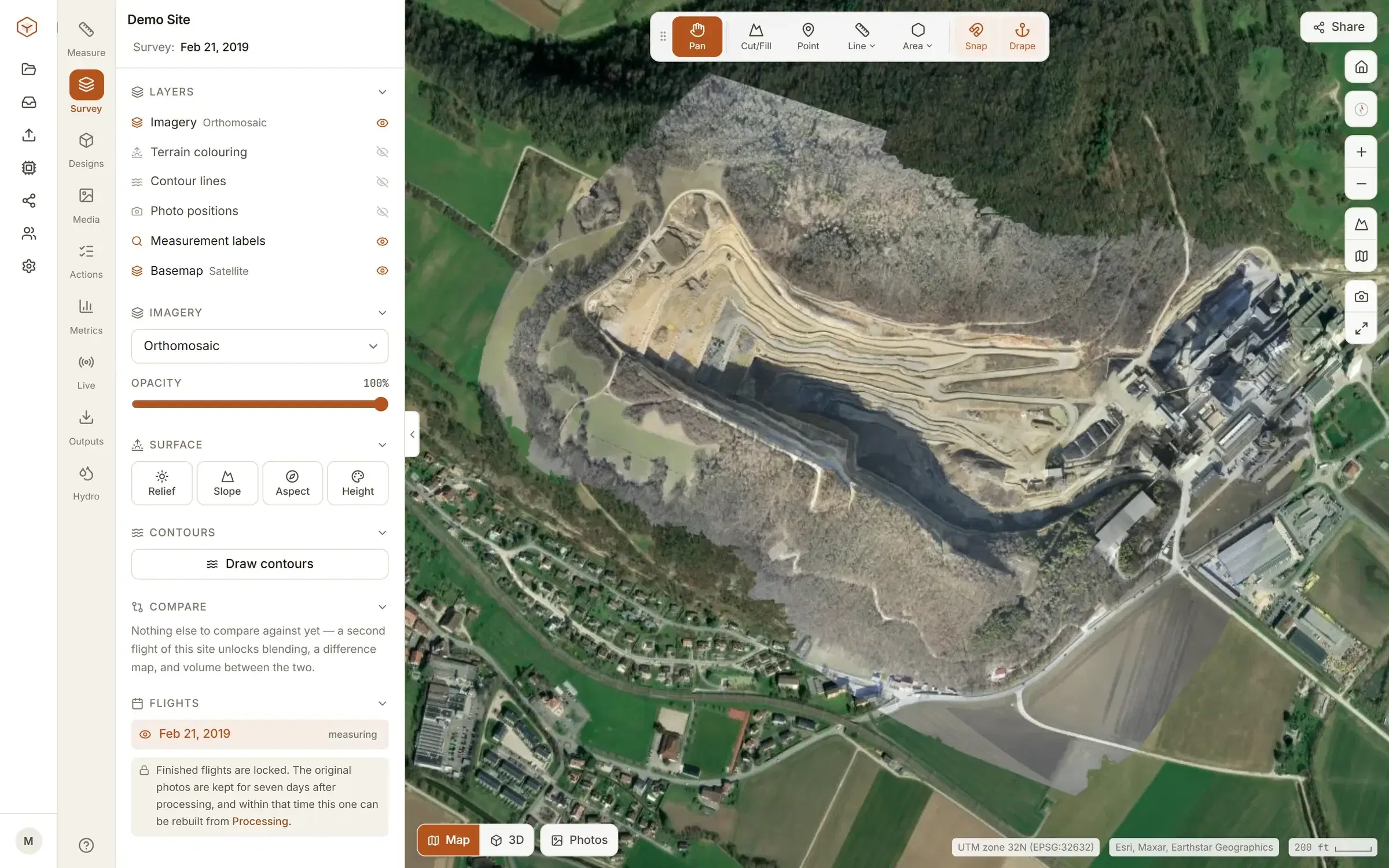
The viewer is where you spend your time: the imagery, the terrain under it, and every tool on one screen. What you measure is saved to the flight and shared with the people on the site.
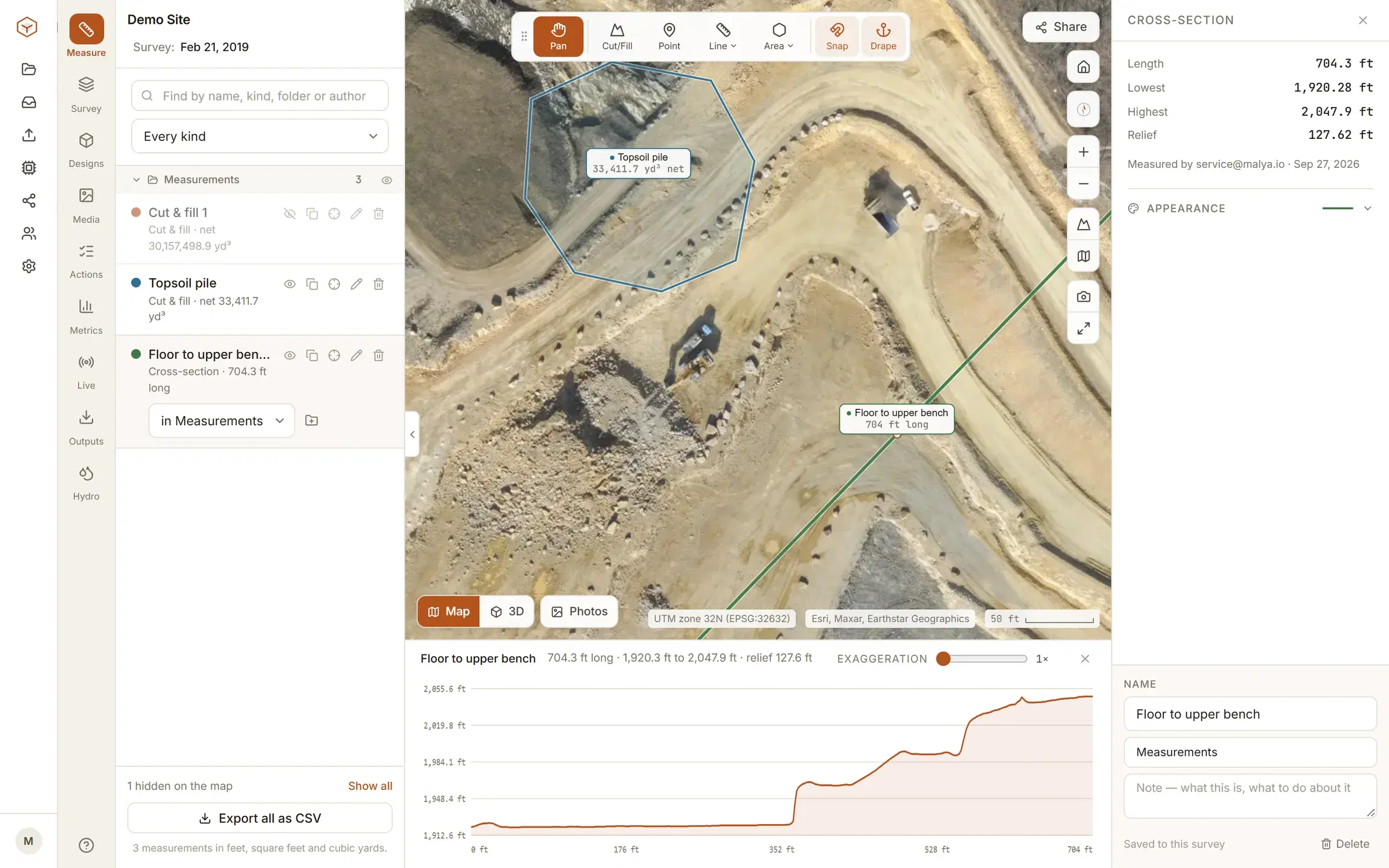
Measure
Points, distances with a ground profile, areas, stockpile volumes, cut and fill, cross-sections, contours.
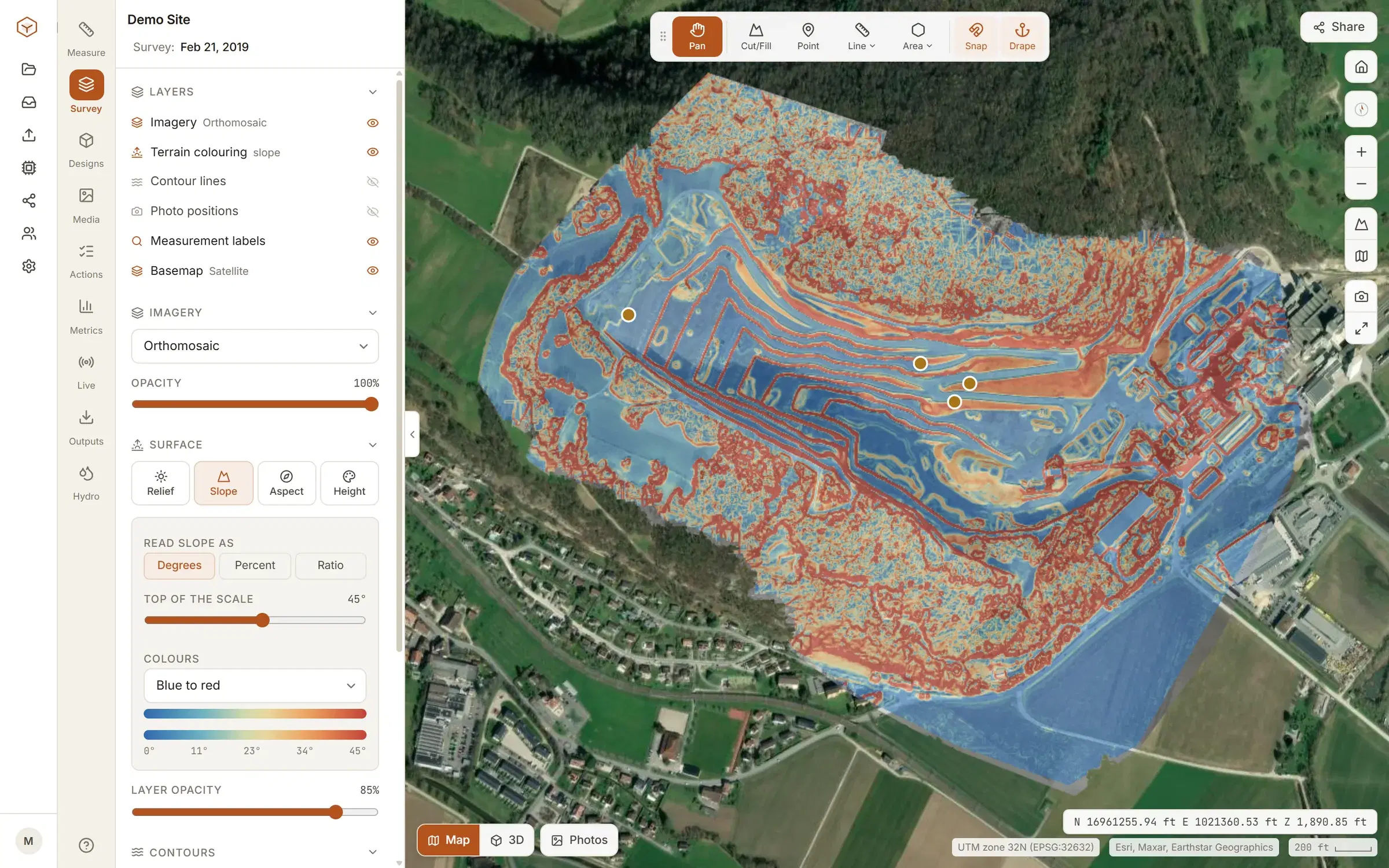
See the ground
Relief, slope, aspect and height colouring over the imagery, contours at the interval you pick, a 3D mesh streamed in tiles so any size opens at once.
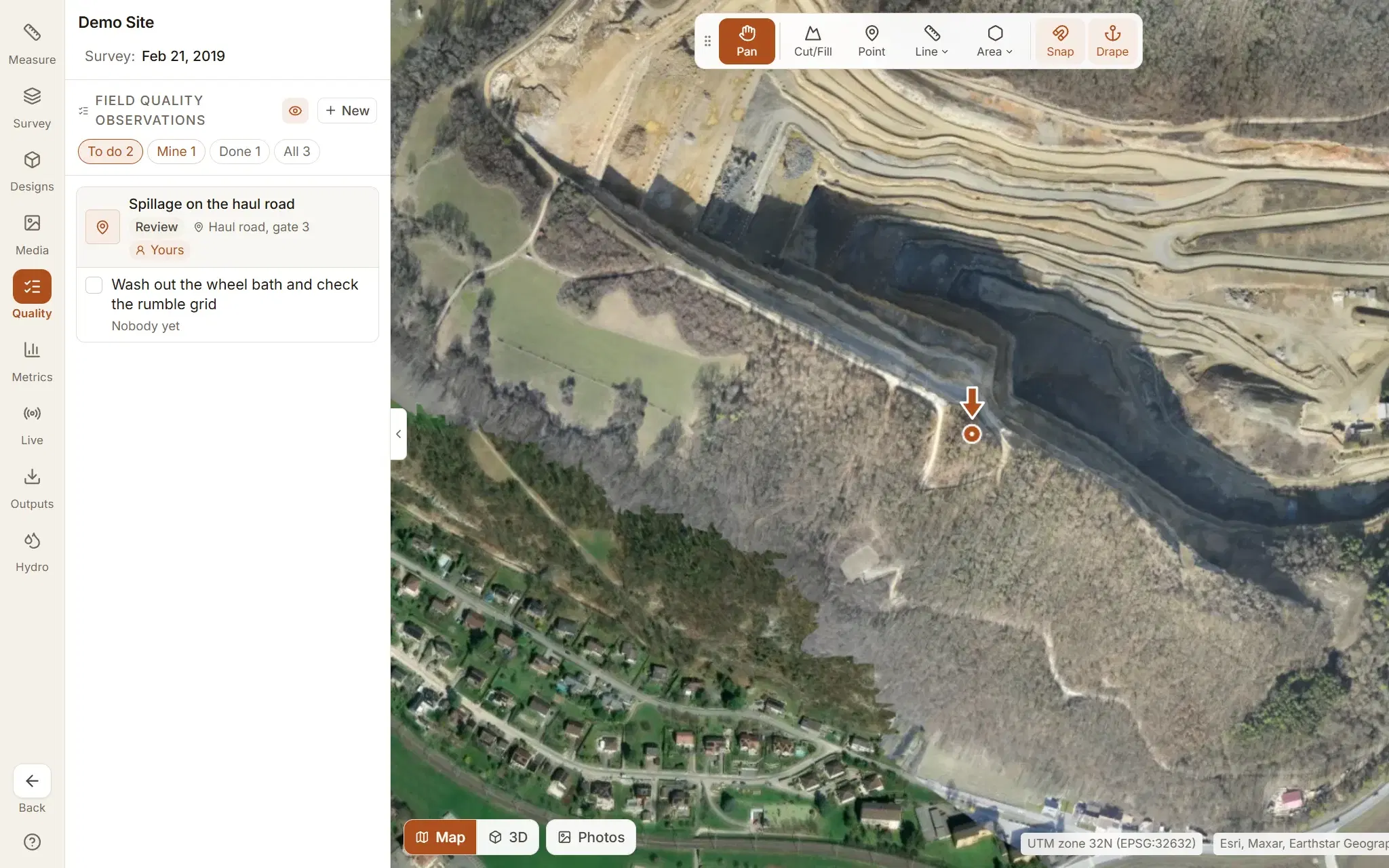
Work the site
Field quality observations from site photos and scheduled quality surveillance, each with your own review workflow; a timeline of every flight; live machines and people, and where they went; one search box for everything in the organisation, by name.
Flying the same site again? See how progress is tracked between flights.
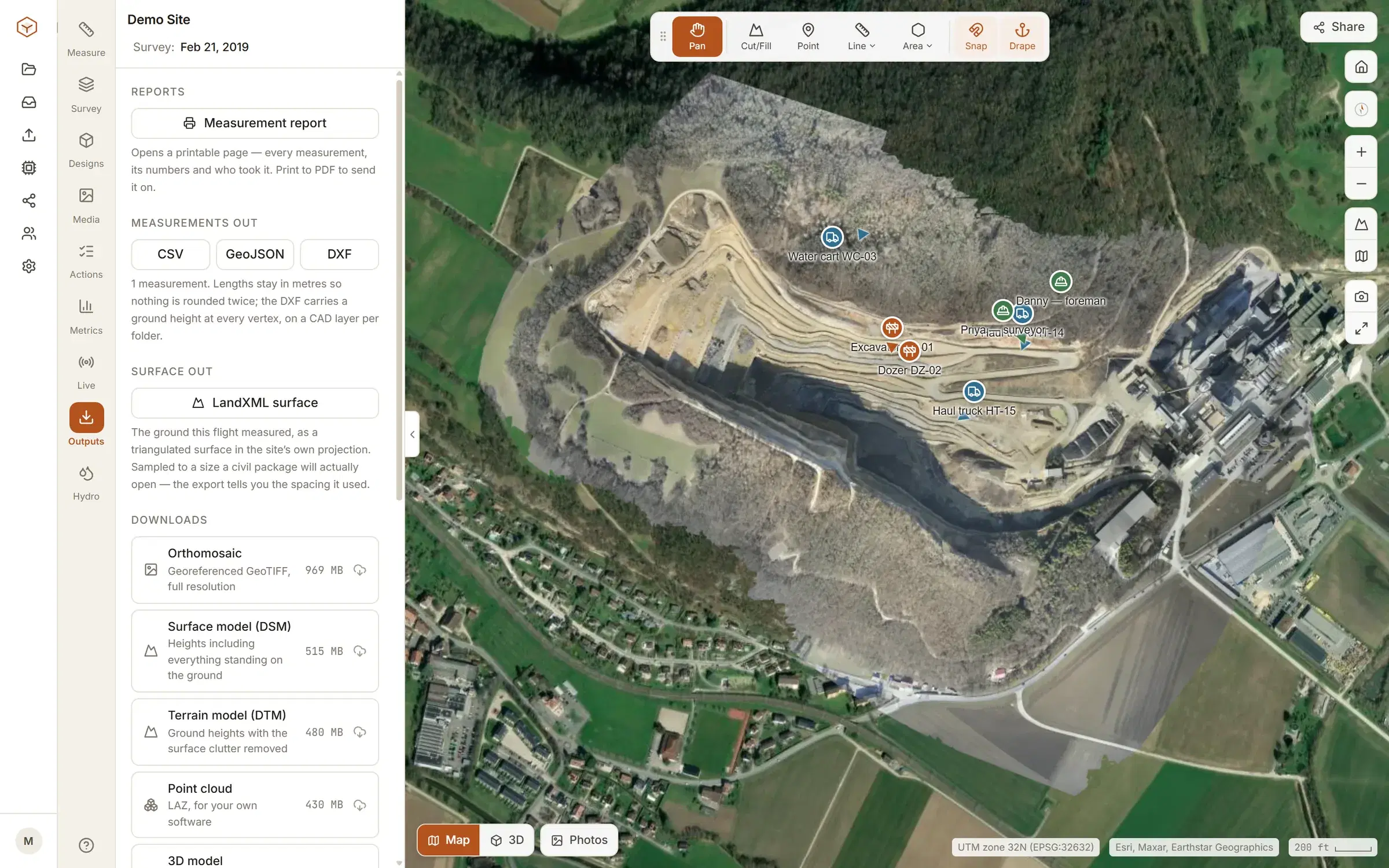
Leave with the files.
Nothing measured in Groundsight is stuck in Groundsight. Everything comes out in the format the next person opens.
- Measurements
- CSV, GeoJSON, DXF
- Contours
- DXF at true elevation
- Surface
- LandXML
- Field quality observations
- Excel workbook
- Imagery
- Orthomosaic GeoTIFF
- Ground
- DSM and DTM GeoTIFFs
- Point cloud
- LAZ
- 3D
- Mesh, and a PDF report
DXF and LandXML are drawn in the site's UTM zone, so nothing arrives floating at the origin. GeoJSON stays in longitude and latitude. Exports and downloads are part of Studio and Enterprise.
Send a link, not a 400 MB folder.
The person who needs the survey is usually the one least likely to install anything.
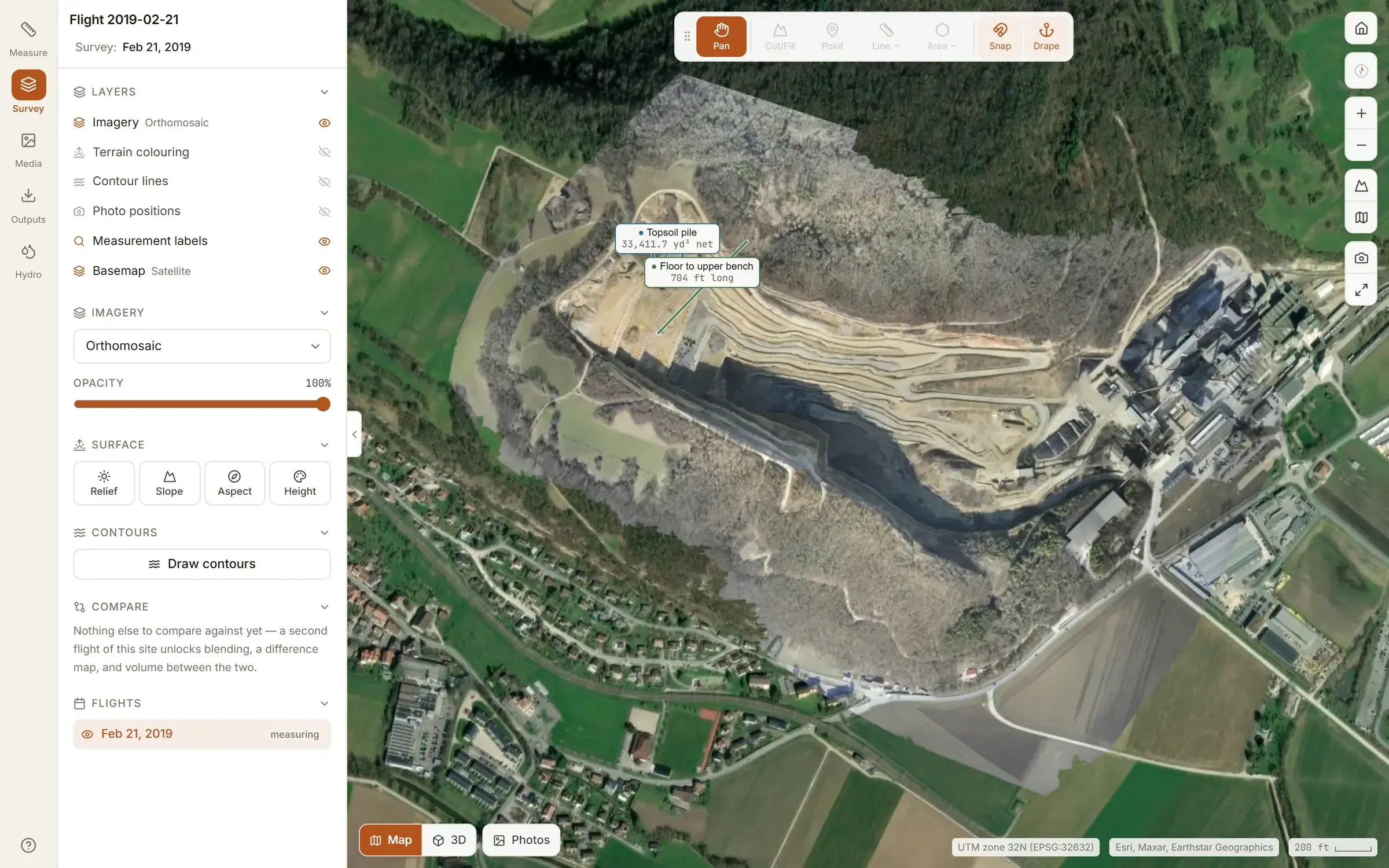
A share link opens one flight, read-only, for anyone who has it. Set it to expire, or revoke it, and it stops opening at once. How sites and links are kept apart.
Your crew, by role
Invited by email and put on the sites they work on. A site is open to your whole organisation until an admin restricts it to the people on it.
- Viewer
- Opens the sites they are on and reads every measurement. Changes nothing, except to move on an observation or a surveillance, or tick off a corrective action, given to them.
- Surveyor
- Measures, uploads flights, places photos, raises and closes observations and schedules surveillances.
- Admin
- Everything a surveyor can, plus who is on which site, the workflows and checklists, and the plan and billing.
- Owner
- Everything an admin can, plus making other owners.
Try the tools on the demo site first.
Every measuring tool works on the demo site the moment you sign up. Your own ground, comparing flights, designs and exports start on Studio: see pricing.